// robinhood import
Your Robinhood Trading Journal
Generate one report on robinhood.com and your options history becomes a journal. Strikes and expirations are read from Robinhood's plain-text descriptions, expired contracts close at zero, and deposits and fees come along.
One report in · parsed automatically · 100% free
// how-to-export
From Robinhood to your journal
Four steps — the longest one is Robinhood preparing the file.
- 01
Request the report
On robinhood.com, go to Account → Reports and statements → Reports, pick your date range, and generate the report.
- 02
Download the CSV when it's ready
Robinhood prepares the file on its side — usually quickly, sometimes longer for big histories. Download it once it appears.
- 03
Drop the file into the Import Wizard
Settings → Import Data, drag the file in. It's identified as Robinhood automatically — no column mapping, no file cleanup.
- 04
Preview & commit
See every trade before anything is saved. Duplicates are flagged and skipped, then trades post to the ledger — opens paired with closes.
// auto-detected
Plain text in, real positions out.
Robinhood describes an option as a sentence — "IWM 6/12/2026 Put $232.00". TickerScribe turns the sentence into a position, and reads the rest of the report as generated: accounting negatives, expiration rows, the footer disclaimer.
"Activity Date","Process Date","Settle Date","Instrument","Description",…columns mapped"6/05/2026",…,"IWM","IWM 6/12/2026 Put $232.00","BTO","4","$2.12","($848.27)"option · buy to open"6/09/2026",…,"IWM","IWM 6/12/2026 Put $232.00","STC","2","$3.37","$673.72"option · sell to close"4/16/2026",…,"LULU","Option Expiration for LULU 4/16/2026 Call $310.00","OEXP","2S",…expired · closed at 0"5/27/2026",…,"Instant bank transfer - account ending in 4821","RTP",…,"$620.00"cash · deposit"6/02/2026",…,"Gold Subscription Fee","GOLD",…,"($6.99)"fee · adjustment"The data provided is for informational purposes only…"footer · skippedOption descriptions are parsed from Robinhood's plain text — no symbology to decode on your side.
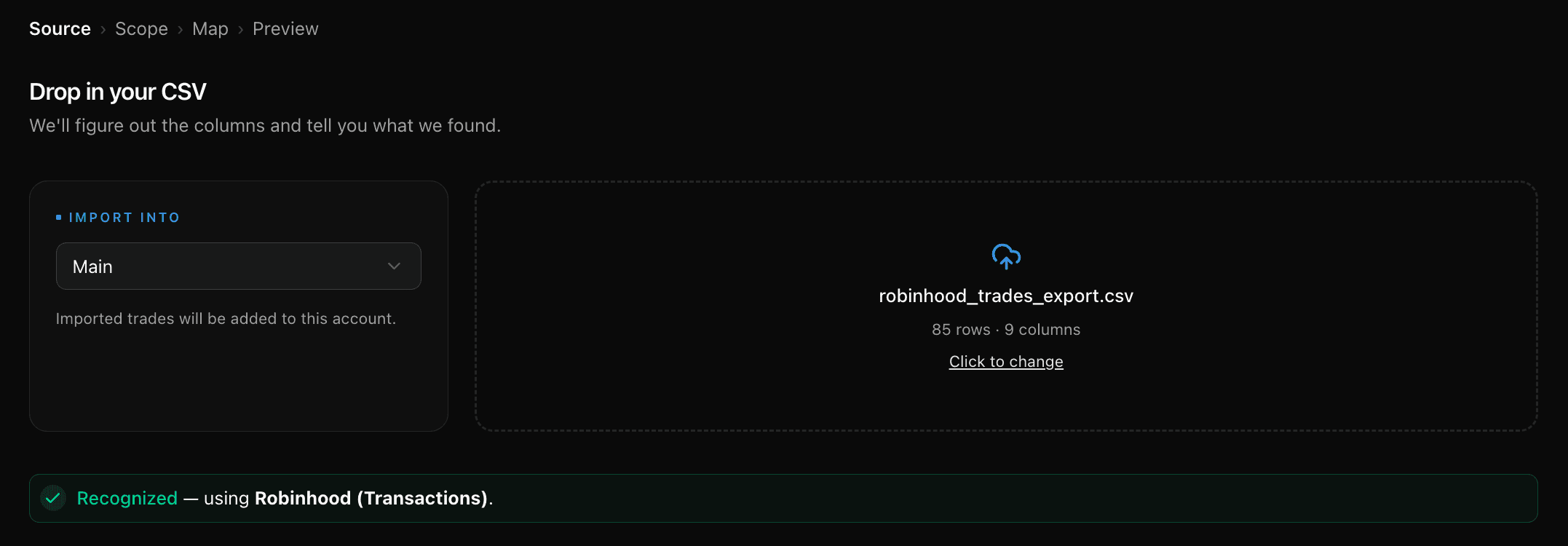
The moment it lands: recognized, parsed, ready to preview.
Options
Plain-text descriptions like "IWM 6/12/2026 Put $232.00" are parsed into underlying, strike, expiration, and call/put. Buys and sells pair into round-trips with accurate premiums.
Expirations, closed automatically
Robinhood's expiration rows become closing trades at zero premium — matched to the right open position, long or short. No phantom open positions after expiry Friday.
Cash activity
Bank, instant, and debit-card transfers land as deposits or withdrawals by direction; interest, Gold fees, and cash rewards are recorded as fees and income — not mistaken for deposits.
Accounting negatives, normalized
Dollar signs, thousands commas, and parenthesized amounts like ($848.27) import as what they mean — a negative 848.27, not a parsing error.
Safe re-imports
Every trade carries a content fingerprint. Re-running a report, or overlapping date ranges, flags duplicates on the preview step and skips them.
Worth knowing: Robinhood stock trades aren't auto-detected yet — they import through the universal CSV mapper. And crypto isn't in the report at all — that's Robinhood's own exclusion, stated in the file.
One report from Robinhood
Turn the report into a journal
No credit card required. Generate one report, drop it in, and your options history is in front of you.
Frequently Asked Questions
Is TickerScribe really free?
Which Robinhood file does TickerScribe auto-detect?
How do Robinhood options trades import?
What happens to options that expire?
Do Robinhood stock trades import too?
What about deposits, fees, and Robinhood Gold? And crypto?
- Interactive BrokersThe Transaction History statement — multi-currency normalized, FX legs filtered.
- thinkorswimThe Account Statement — spread legs reassembled, fees matched, expirations closed.
- SchwabBoth exports work — transaction history and per-holding lot details.
- FidelityOne Accounts History file — options, stocks, and cash, with option symbols decoded.
- TradeStationThe trades report — compact option symbols decoded automatically.
- tastytradeThe transaction history — partial fills merged, quoted premiums restored, expirations closed.
- WebullThe order-history export — only filled orders, at their average fill price; unfilled orders set aside.
- AlpacaYour trade activity as a CSV — every fill and partial fill imported at the exact price it executed.
- WealthsimpleThe Activity export — stocks, options, and cash from one file, with per-contract premiums normalized.
- Trade RepublicThe Transaction export — savings-plan fractions, the whole cash ledger, splits netted and name changes followed.
- E*TRADEThe Transaction History CSV — options, stocks and cash, with the contract read from the description rather than the underlying.
- M1The Activity export — fractional notional orders priced from the cash they actually moved.
- Every other broker & journal — the universal CSV mapper
// keep exploring
Explore More Features
Options Journal
30+ strategies, rollover chains, Greeks & IV, per-leg P&L.
Stock Journal
Position grouping, cost basis methods, and one-click logging.
Short Selling
A sell that opens the position, a buy-to-cover that closes it, P&L the right way round.
Daily Journal
Notes, plan & reflection, mood, tags, and chart screenshots — per day.
Trade Notes
Notes, tags, and screenshots per trade — and a scoreboard of how each setup performs.
Performance Dashboard
KPIs, cumulative P&L chart, and portfolio overview.
P&L Calendar
Shareable daily P&L heatmap with drill-down.
Trade Analysis
Price ranges, day-of-week P&L, and time-of-day patterns.
Wheel Analysis
Puts, covered calls, and assignments — stitched into cycles with annualized return.