Trading journal vs spreadsheet: keep the control, lose the formulas.
A spreadsheet is free, flexible, and entirely yours — there are real reasons traders start there. But P&L that depends on formulas you maintain breaks silently, and options barely fit in cells at all. TickerScribe keeps the price (free) and removes the maintenance.
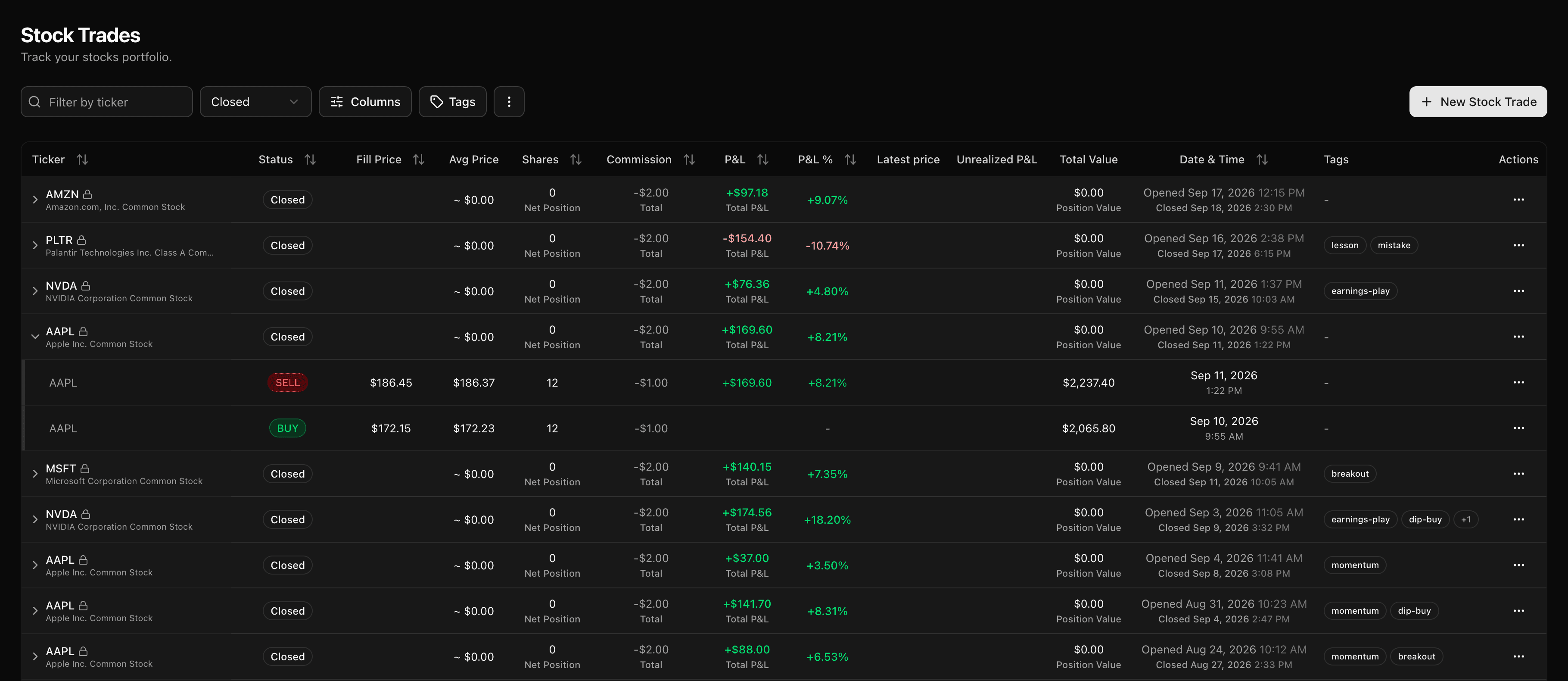
TickerScribe vs a spreadsheet
A feature-by-feature comparison — including the rows where a spreadsheet genuinely wins.
| Feature | TickerScribe | Spreadsheet |
|---|---|---|
| Cost | Free, no card | Free |
| Setup | Sign up and import — minutes | Build layouts, formulas & validation yourself |
| P&L accuracy | Double-entry ledger — entries must balance, to the penny | One broken formula or stray edit silently corrupts it |
| Options | 30+ strategies auto-detected, multi-leg, rollover chains, assignments, the wheel, per-leg P&L | Manual modeling — multi-leg and rolls are notoriously hard in cells |
| Importing trades | Broker CSV auto-detect + universal mapper | Copy-paste, or build your own parsing |
| Built-in analytics | Dashboard, per-ticker reports, day-of-week, time-of-day, hold time, DTE, portfolio beta | Only what you build |
| Short selling | A sell opens the position, buy-to-cover closes it, P&L runs the right way | Sign conventions are yours to get right, every row |
| Portfolio beta & market exposure | Stocks and options measured separately, index options included | Needs a price history feed you'd have to source yourself |
| R multiples | Stop and target on every trade, R:R and result in R derived | Buildable, if you maintain the formulas |
| Live market overview, built around your book | Market Today — today's sentiment, volatility & direction, live news on your tickers, and your live book P&L, all on one screen, every session | No live market feed to build it on |
| Custom metrics & total flexibility | Fixed feature set | Anything you can express in a formula |
| P&L calendar | Automatic, shareable, optional amount masking | Manual to build and maintain |
| Daily journal | Plan, notes & reflection, mood & screenshots | Cells aren't built for notes and images |
| Futures, forex & crypto | Any asset you can type | |
| Works offline, no account | ||
| Error-proofing | Validation, duplicate detection on import | You are the validation |
| Data portability | CSV export anytime; re-imports for a full restore | Always your file |
Which one is right for you?
Here's where each approach genuinely wins.
Choose TickerScribe
Still free — minus the maintenance. The better fit if you:
- Trade options — multi-leg strategies, rollovers, assignments, and the wheel barely fit in cells; here they're first-class.
- Have ever found a broken formula weeks too late — the double-entry ledger can't drift.
- Want your broker history imported, not copy-pasted.
- Want a P&L calendar, dashboards, and per-ticker reports without building them.
- Want to share results — an ad-free public calendar with optional amount masking.
- Want a live market read the moment you log in — today's sentiment, volatility and direction, news on the tickers you hold, and your live book P&L, all on one screen.
Stick with a spreadsheet
We'd rather you pick the right tool. A spreadsheet is likely the better fit if you:
- Want custom metrics no journal computes — and enjoy building them.
- Trade futures, forex, or crypto — TickerScribe focuses on stocks and options.
- Need everything offline, on your machine, with no account anywhere.
Bring your spreadsheet history with you
Years of carefully logged trades aren't wasted — they import. No re-typing.
- 1
Export your sheet as CSV
Excel or Google Sheets — File → Download → CSV. If it has ticker, date, side, quantity, and price, you're set.
- 2
Drop it into TickerScribe
The universal mapper auto-suggests a match for every column. Confirm once — the mapping is remembered.
- 3
Review and you're in
Each round-trip becomes a clean entry and exit. Skim the preview, confirm, and retire the formulas.
Import your sheet and see the difference
Free, no card. Bring your history in and start tracking in under a minute.
Frequently Asked Questions
Is TickerScribe free like a spreadsheet?
Can I import my existing spreadsheet?
Why is a ledger better than spreadsheet formulas?
What about options trades?
What can a spreadsheet do that TickerScribe can't?
Am I locked in if I switch?
- vs StonkJournalBoth free — TickerScribe adds broker import, deep options, and a shareable calendar.
- vs TradervueThe longest-running journal; options sit behind a paid plan, with manual bookkeeping.
- vs TraderSyncMulti-asset powerhouse with auto-sync and AI — at a subscription, with no free plan.
- vs TradeZellaBacktesting, AI, and community — behind a subscription with no free tier or trial.
- vs EdgewonkPsychology-first journal for forex & futures; options are logged as generic trades.
- vs TradesVizThe analytics powerhouse — 600+ stats; options journaling lives in the paid tiers.
- All comparisons