// schwab import
Your Schwab Trading Journal
Journal your Charles Schwab trades without re-typing them. Two exports cover everything: Transactions for your activity, Lot Details for the positions you already own — both recognized the moment you drop them in.
Two exports in · zero column mapping · 100% free
// how-to-export
From schwab.com to your journal
Four steps, about two minutes.
- 01
Open your transaction history
On schwab.com, go to Accounts → History, pick the account, and make sure the view is set to Transactions.
- 02
Pick your date range, export
Choose the period (Schwab caps an export at 10,000 rows — chunk long histories by date range) and click Export to download the CSV.
- 03
Drop the file into the Import Wizard
Settings → Import Data, drag the file in. It's identified as Schwab automatically — no column mapping, no file cleanup.
- 04
Preview & commit
See every trade before anything is saved. Duplicates are flagged and skipped, then trades post to the ledger with accurate cost basis.
// auto-detected
The $57.305 problem, solved.
Schwab writes prices most parsers get wrong — $57.305 turns into 57,305 in tools that read three decimals as a thousands separator. TickerScribe reads the export exactly as schwab.com produces it: title row, three-decimal prices, footer and all.
"Transactions for account …208 as of 06/04/2026 10:27 ET"recognizedDate,Action,Symbol,Description,Quantity,Price,Fees & Comm,Amountcolumns mapped5/28/2026,Buy,CRM,"SALESFORCE INC",2,$268.415,,($536.83)stock · 3-decimal price OK6/03/2026,Reinvest Shares,HSY,"HERSHEY CO",0.0041,$397.55,,($1.63)fractional reinvest6/03/2026,Qual Div Reinvest,HSY,"HERSHEY CO",,,,$1.63dividend6/02/2026,Journal,,"TRANSFER FUNDS FROM SCHWAB BANK",,,,$1,840.00cash · deposit4/10/2026,Foreign Tax Paid,SHOP,"SHOPIFY INC",,,,($0.34)tax · adjustment"Transactions Total",,,,,,,"$2,418.37"footer · skippedThe same recognition covers the Lot Details export — each open tax lot becomes an opening position with its real cost basis.
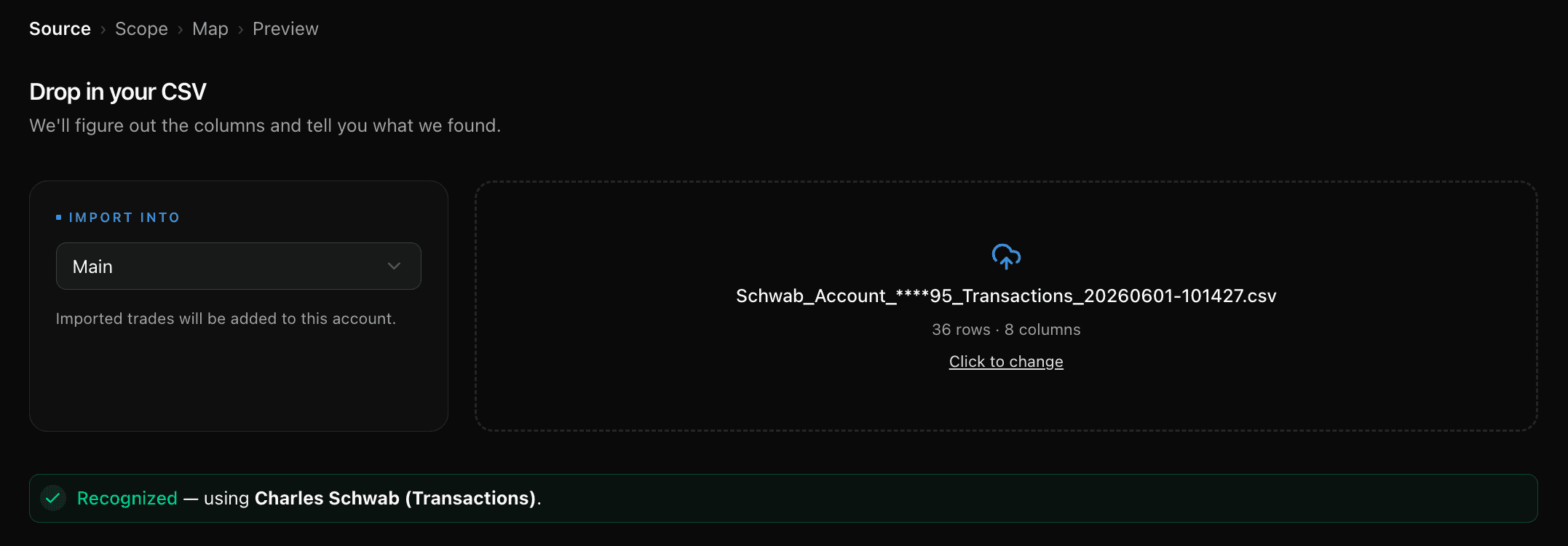
The moment it lands: recognized, every column mapped, ready to preview.
Stocks
Buys and sells, dividend reinvestments as the fractional lots they are, and journaled shares with their cost basis — quantities down to four decimals.
Options
From the same file, not a second one. Opens pair with closes, an expiration or assignment closes the contract at zero with the reason kept, the shares from an assigned put arrive as a lot marked assigned, and the legs of a spread are grouped as one position instead of filed as unrelated singles.
Dividends, transfers & taxes
Qualified dividends, reinvested dividends, account transfers, and foreign tax withholding all land as cash events — so portfolio value and deployed capital stay accurate.
US money formats, parsed right
Dollar signs, thousands commas, parenthesized negatives — and Schwab's 3-decimal prices like $57.305, which generic parsers turn into 57,305. Here they stay $57.305.
Lot Details for positions you already own
The second Schwab export. Each open tax lot becomes an opening position with its real open date and cost per share — the clean way to backfill holdings that predate your journal.
Safe re-imports
Every trade carries a content fingerprint. Re-running a file, or importing overlapping date ranges, flags duplicates on the preview step and skips them.
One thing the Transactions export can't give you: the account-wide Positions snapshot is a picture of what you hold today, with no dated fills in it, so there are no trades to import from it — upload one and TickerScribe says so instead of leaving you to map it. Files from any other source land through the universal CSV mapper: columns auto-suggested, confirmed once, remembered after.
Two minutes from schwab.com
Your whole Schwab history, in one place
No credit card required. Export your history, drop it in — cost basis intact.
Frequently Asked Questions
Is TickerScribe really free?
Which Schwab files does TickerScribe auto-detect?
What are 3-decimal prices, and why do they matter?
What is the Lot Details export for?
Do Schwab options trades import automatically?
Schwab caps exports at 10,000 rows — what about long histories?
I place my trades in thinkorswim. Which export do I use?
- Interactive BrokersThe Transaction History statement — multi-currency normalized, FX legs filtered.
- thinkorswimThe Account Statement — spread legs reassembled, fees matched, expirations closed.
- FidelityOne Accounts History file — options, stocks, and cash, with option symbols decoded.
- RobinhoodThe activity report — options parsed from plain text, cash included.
- TradeStationThe trades report — compact option symbols decoded automatically.
- tastytradeThe transaction history — partial fills merged, quoted premiums restored, expirations closed.
- WebullThe order-history export — only filled orders, at their average fill price; unfilled orders set aside.
- AlpacaYour trade activity as a CSV — every fill and partial fill imported at the exact price it executed.
- WealthsimpleThe Activity export — stocks, options, and cash from one file, with per-contract premiums normalized.
- Trade RepublicThe Transaction export — savings-plan fractions, the whole cash ledger, splits netted and name changes followed.
- E*TRADEThe Transaction History CSV — options, stocks and cash, with the contract read from the description rather than the underlying.
- M1The Activity export — fractional notional orders priced from the cash they actually moved.
- Every other broker & journal — the universal CSV mapper
// keep exploring
Explore More Features
Options Journal
30+ strategies, rollover chains, Greeks & IV, per-leg P&L.
Stock Journal
Position grouping, cost basis methods, and one-click logging.
Short Selling
A sell that opens the position, a buy-to-cover that closes it, P&L the right way round.
Daily Journal
Notes, plan & reflection, mood, tags, and chart screenshots — per day.
Trade Notes
Notes, tags, and screenshots per trade — and a scoreboard of how each setup performs.
Performance Dashboard
KPIs, cumulative P&L chart, and portfolio overview.
P&L Calendar
Shareable daily P&L heatmap with drill-down.
Trade Analysis
Price ranges, day-of-week P&L, and time-of-day patterns.
Wheel Analysis
Puts, covered calls, and assignments — stitched into cycles with annualized return.